This guide explains how Standup Wireless Phones fit within the federal Lifeline program, including eligibility, application steps, plan features, device choices, and possible additional charges. It also compares StandUp Wireless with SafeLink Wireless, Assurance Wireless, Access Wireless, and True Wireless. Government-supported wireless services are administered by participating providers under federal and state rules, so availability, data allowances, device options, and qualification procedures can vary by location and change over time.
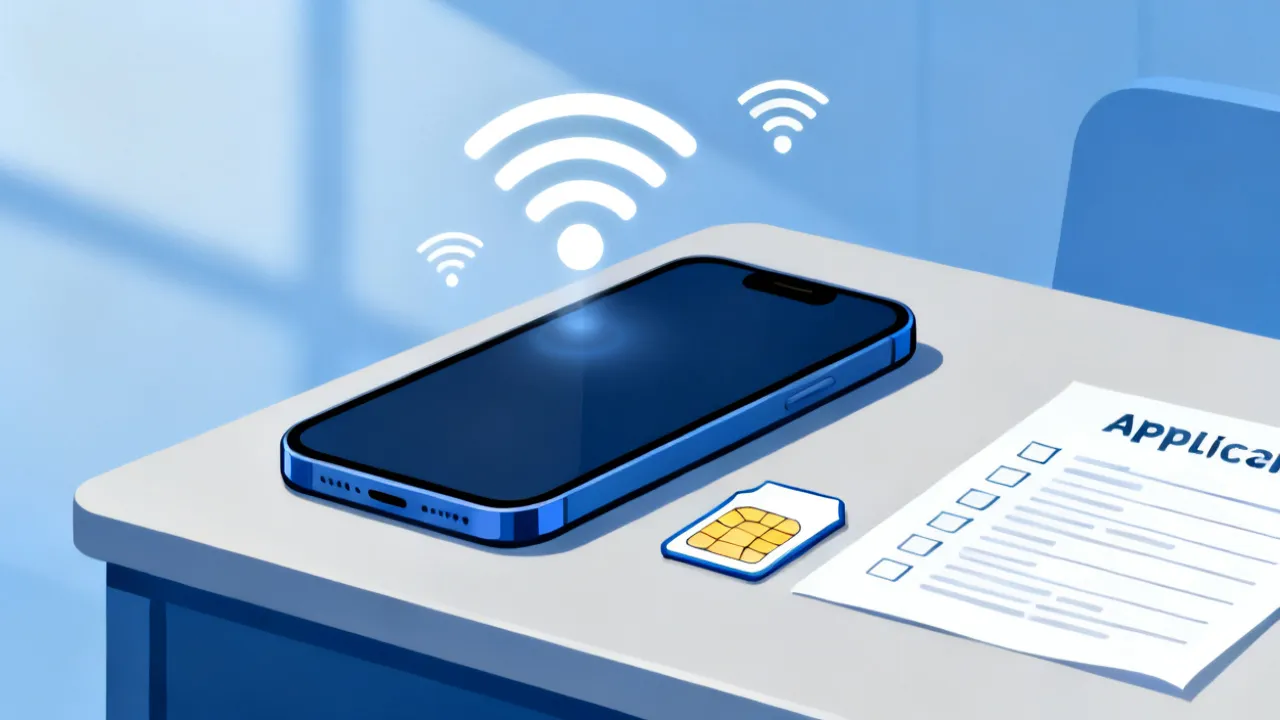
StandUp Wireless Phones are devices and wireless service options associated with StandUp Wireless, a participating provider of government-supported telecommunications services. In many cases, the relevant federal benefit is Lifeline, a program designed to help eligible low-income consumers maintain access to voice, text, and broadband connectivity. Depending on the applicant’s location and current provider offerings, an eligible customer may receive a smartphone, use an approved personally owned device, or select a service plan with a specified allowance of voice, text, and data.
The most important point is that eligibility is not determined solely by a request for a phone. Applicants generally must qualify through household income or participation in an approved assistance program, submit documentation when requested, and complete enrollment with the provider and the National Verifier or another authorized process. Approval is subject to program rules, provider availability, and state or Tribal-area requirements.
Plan details are not uniform. A standard offer may include unlimited talk and text and a defined amount of data, while premium devices, additional high-speed data, international calling, or other enhancements can involve separate charges. Consumers should read the current offer carefully before submitting personal information or choosing an upgrade.
It is also useful to distinguish between the phone and the service benefit. Lifeline generally supports qualifying communications service; it does not necessarily promise a specific brand, model, storage capacity, or operating system. A provider may offer a handset as part of enrollment, but inventory can change. In some cases, the most practical option is using a compatible phone the consumer already owns.
Expert perspective: The safest way to evaluate any government-supported phone offer is to separate three questions: whether the household qualifies, what benefit the provider currently offers in the applicant’s area, and what optional charges could apply. A provider’s advertised device is not necessarily available in every state, and a qualifying consumer is not automatically guaranteed a particular handset.
StandUp Wireless is one of several wireless companies that may offer Lifeline-supported service. The program is not simply a general device giveaway. It is a regulated benefit connected to qualifying service, and the provider applies the applicable rules when activating an account.
StandUp Wireless may present several service pathways, including:
The exact offer can change according to federal policy, state rules, network arrangements, device inventory, and the provider’s commercial terms. Consumers should therefore treat online descriptions as a starting point and confirm the current terms on the official StandUp Wireless website.
Applicants should also understand that a provider’s participation may be limited to particular states, territories, or Tribal areas. A website may display general information that does not apply to every address. Entering the correct ZIP code or service address during the application process is important because the available plan can depend on location.
Government-supported wireless plans commonly combine several types of connectivity. Voice service supports ordinary calls, while text messaging provides a low-bandwidth way to communicate. Data supports web browsing, email, maps, school portals, telehealth platforms, messaging applications, and other internet-based services.
However, “unlimited” should be read in context. A plan may offer unlimited talk and text while maintaining a limited or prioritized data allowance. Data may also be subject to network management policies, coverage limitations, or changes in speed after a stated threshold. The practical experience depends on the local network, handset capability, signal conditions, congestion, and the provider’s current plan terms.
Customers considering StandUp Wireless Phones should check:
A plan that works well for occasional calls may not be sufficient for a person who uses mobile data as the primary internet connection. For example, video meetings and streaming can consume substantially more data than email or ordinary web browsing. Consumers should match the plan to their actual use rather than relying only on a headline description.
The following comparison summarizes the provider information supplied for this guide. It is intended for orientation rather than as a guarantee of a particular offer. Plans, devices, data amounts, and charges may differ by state and may be revised by the provider.
| Provider and official program website | Services that may be included | Possible additional package costs |
|---|---|---|
| SafeLink Wireless — safelinkwireless.com | Provider-supplied smartphone or bring-your-own-device service; talk, text, and data allowances that vary by plan and state. | Premium handset upgrades or additional data may cost extra. |
| Assurance Wireless — assurancewireless.com | Android smartphone offers, talk and text, and a stated data allowance under the applicable plan. | Additional high-speed data or international calling may be optional paid services. |
| StandUp Wireless — standupwireless.com | Provider-supplied smartphone or bring-your-own-device option; talk, text, and data services subject to plan and location. | Premium device upgrades and extra data may be available for a charge. |
| Access Wireless — accesswireless.com | Voice, text, and a limited high-speed data allowance associated with available Lifeline benefits. | Data boosts and handset upgrades may involve additional charges. |
| True Wireless — gotruewireless.com | Government-supported phone options with voice and data service, subject to eligibility and current plan terms. | Improved devices or additional data plans may be paid options. |
source: www.safelinkwireless.com
source: www.assurancewireless.com
source: www.standupwireless.com
source: www.accesswireless.com
source: www.gotruewireless.com
When comparing these providers, consumers should look beyond the name of the phone. Important differences can include the network used, the amount of data available, the frequency of recertification notices, the ease of replacing a SIM card, the quality of customer support, and whether the provider permits a personal device. A plan with a slightly smaller data allowance may still be preferable if it offers better coverage at the applicant’s home, workplace, school, or medical provider.
Lifeline eligibility is generally based on either household income or participation in a qualifying public assistance program. The supplied program information identifies an income threshold of up to 135% of the federal poverty guidelines for Lifeline. The Affordable Connectivity Program, or ACP, historically used a higher income threshold of up to 200%, but ACP funding and availability are separate from Lifeline and must not be assumed to be active. Because program rules can change, applicants should confirm the current federal position through official sources.
A consumer may qualify through participation in one or more approved programs, such as:
Additional support may be available for qualifying residents of Tribal lands. Tribal-area benefits can involve distinct eligibility categories or enhanced assistance, but the applicant must satisfy the applicable requirements and provide appropriate documentation.
Eligibility is usually assessed at the household level. Under Lifeline rules, a household generally means people who live together and share income and expenses. A household normally may receive only one Lifeline benefit. Applicants should not submit multiple applications for the same household through different providers without understanding the rules, because duplicate enrollment can lead to delays, rejection, or loss of service.
The household concept can be confusing in shared living arrangements. Several unrelated adults may live at one address but maintain separate finances, while relatives living together may share expenses and therefore be considered one household. The official application asks questions intended to make this determination. Applicants should answer honestly and should not create separate applications simply because multiple people use different phones.
Eligibility can also change over time. A person who qualified because of enrollment in a public assistance program may need to recertify after the benefit ends or changes. Similarly, an income-based applicant may need to confirm that household income remains within the applicable limit. Continued service is not always automatic after the original approval.
Documentation requirements differ according to the qualification path. A program participation route may require a current benefit award letter, enrollment notice, or official statement showing the applicant’s name and participation. An income-based application may require documents that demonstrate household income during the relevant period.
Examples of documents that may be requested include:
Applicants should upload clear, legible copies through the official application channel. Documents should show the relevant name and date where required. Sending sensitive information through unofficial social-media accounts, unverified text-message links, or third-party forms creates unnecessary privacy and fraud risks.
Before uploading a document, check that all four corners or the relevant information are visible. A cropped award letter, blurry photograph, or document with an unreadable date may be rejected even when the applicant is eligible. If a scanner is unavailable, a phone camera can usually create an acceptable image when the document is placed on a flat surface in good lighting.
Applicants should keep a secure record of submitted documents and confirmation numbers. Do not retain unnecessary copies on a public computer or share them through an unsecured messaging application. If the verification system rejects a document, read the explanation before submitting another copy; the problem may be the document type, expiration date, missing page, or mismatch in the applicant’s name.
The application process generally follows a sequence of eligibility verification, provider enrollment, and service activation. The exact screens and terminology may vary, but the following steps provide a practical framework.
Begin with the official federal Lifeline information and the provider’s current service page. Confirm whether the applicant’s state or Tribal area is supported, which benefit is being offered, and whether the provider accepts the qualification route being used.
Review household income or participation in an approved assistance program. Use the applicant’s current information rather than an outdated award notice when the website asks for present eligibility. If the application is based on household income, determine which household members and income sources must be reported under the applicable rules.
The National Verifier or an authorized process may ask for personal information to confirm identity and eligibility. Enter names, addresses, dates, and identification details carefully. Small inconsistencies, such as a shortened name or a different address format, can result in a request for additional documentation.
If the system asks for proof, submit the requested documents in the accepted format. Do not upload unrelated documents containing excessive personal information. Keep copies of everything submitted, including confirmation numbers and application dates.
After eligibility is confirmed, follow the instructions to enroll with StandUp Wireless if the provider is available in the applicant’s area. The applicant may need to provide a service address, mailing address, contact details, and information about whether a compatible personal phone will be used.
If StandUp Wireless offers a provider-supplied phone, the available model may depend on inventory. A bring-your-own-device option can be useful for applicants who already have an unlocked, compatible handset. Compatibility may depend on network technology, SIM or eSIM support, device bands, and whether the phone has been reported lost, stolen, or financially blocked.
Carefully distinguish the standard benefit from optional upgrades. A more advanced phone, extra data, international service, accessories, shipping, or replacement services may have separate terms. A consumer should not assume that every item shown during checkout is part of the government-supported plan.
Once the phone or SIM arrives, follow the activation instructions. Test calling, text messaging, mobile data, voicemail, and emergency calling capabilities. Keep the activation materials because they may contain account numbers, support contacts, or instructions for transferring a number.
After activation, save the account number, telephone number, PIN, support website, and any confirmation email. These details can make it easier to report a problem, replace a SIM, transfer service, or protect the account after a lost phone. Avoid writing a security PIN on the phone case or storing it in an unprotected note.
Some applications are resolved quickly when identity and eligibility can be confirmed electronically. Others require manual document review. Processing can take longer when an applicant has recently moved, changed a legal name, received a new benefits card, or has records that use a different address format.
Applicants should not assume that silence means approval. Review the confirmation page, monitor the email address or phone number supplied during enrollment, and respond promptly to requests for additional information. If the provider gives an application reference number, keep it available when contacting support.
Submitting repeated applications can create confusion and may appear to be duplicate enrollment. If an application is pending, contact the original provider or verification service before beginning a second application. A duplicate request is not necessarily a faster request.
A bring-your-own-device arrangement can reduce the need to change handsets, but compatibility should be checked before enrollment. A phone may be unlocked yet still incompatible with a particular network. Older devices may lack required frequency bands, support outdated network technologies, or have software that no longer receives security updates.
Before selecting this option, consumers should verify:
Compatibility checkers supplied by the provider are preferable to assumptions based only on the phone’s brand or operating system. A device that works on one carrier may not operate properly on another.
Before moving a number, confirm whether the existing carrier account must remain active until the transfer is complete. Closing the old account too early can make number porting more difficult. Consumers should also check whether an existing phone is subject to a financing agreement or account balance, since an unpaid balance can affect its ability to be used with another provider.
When switching a personal device, back up contacts, photographs, messages, and authentication information. Some security applications require a recovery code or an additional verification step after a SIM change. Preparing these items before activation can prevent the consumer from being locked out of email, banking, school, or health accounts.
Government-supported programs are designed to provide qualifying connectivity, not necessarily the newest flagship smartphone. A standard handset may have sufficient capability for calls, messages, web access, authentication applications, and basic video communication. More demanding activities, such as high-resolution streaming, gaming, or extensive hotspot use, may require a more capable device and a larger data allowance.
Premium upgrades may be presented as optional purchases. Before paying, compare the total cost with the price of an unlocked phone from a reputable retailer. Consider warranty coverage, return rights, battery condition, storage capacity, operating-system support, and repair availability. The lowest initial price is not always the lowest good cost.
Consumers should also ask whether an upgraded device remains subject to provider restrictions. A device may be locked for a period, tied to a specific account, or governed by return and replacement conditions. These details should be available in the provider’s terms of service.
Other practical features may matter more than appearance. A large battery can help a consumer who spends long periods away from a charger. A brighter display may be valuable for outdoor use, while expandable storage or sufficient internal storage can help someone who stores photographs, documents, or educational applications. People with limited hand mobility may prefer a phone with a larger screen and accessible controls.
Consumers should inspect the phone when it arrives. Check for physical damage, confirm that the correct model was shipped, and make sure the charging port, camera, speaker, microphone, and display function properly. If there is a problem, contact the provider promptly and ask about the applicable return or replacement period.
Service quality is influenced by more than the provider’s plan description. Local tower coverage, terrain, building materials, weather, congestion, device antennas, and network management can affect performance. An offer that includes a particular data amount does not guarantee a specific speed in every location.
Applicants should use the provider’s coverage information as a general reference and ask support about service in the places where the phone will be used most often. Indoor coverage can differ substantially from outdoor coverage. Rural and remote areas may have fewer network options, while dense urban locations may experience congestion during peak periods.
Data management is especially important for households that rely on mobile service as their main internet connection. Video calls, software updates, cloud backups, and streaming can consume data quickly. Customers can reduce usage by enabling Wi-Fi when appropriate, turning off automatic updates over mobile data, downloading maps in advance, and reviewing application-level data settings.
Consumers should remember that Wi-Fi and mobile data are different connections. When a phone is connected to a trusted home, library, school, or community Wi-Fi network, many applications can use that connection instead of the cellular allowance. Public Wi-Fi should be used cautiously, particularly for banking or account recovery, and automatic connection to unknown networks should be disabled when possible.
Coverage maps are useful but not absolute. They are generally based on modeling and may not show every dead zone. Before relying on the service for work, school, transportation, or telehealth, test it in the places where those activities occur. A wired internet connection or a second communication method may be necessary for critical situations.
Lifeline service may require periodic use under program rules and provider policies. Customers should read notices about account activity, recertification, and annual eligibility review. Ignoring a verification request can interrupt service even when the household remains eligible.
Customers should promptly report changes that affect their account, including a move, a change in household circumstances, loss of qualifying program participation, or enrollment with another Lifeline provider. Keeping contact information current helps ensure that important notices are received.
If service stops unexpectedly, contact the provider through its official support channel. Ask whether the issue involves eligibility verification, account inactivity, network maintenance, a SIM problem, a device fault, or a billing-related optional service. Record the date, representative’s name or identification number, and any case number.
Account notices should be read rather than discarded automatically. A message may explain that a document is expiring, that a benefit must be recertified, or that an account is approaching an inactivity deadline. Taking action before the deadline is usually easier than trying to restore service afterward.
SafeLink Wireless may offer a provider-supplied smartphone or a bring-your-own-device route, with voice, text, and data benefits depending on the state and plan. Premium devices and additional data may be offered at an added cost. Applicants typically apply online and provide eligibility information or documentation.
Assurance Wireless may provide an Android smartphone with talk, text, and a defined data allowance. Additional high-speed data and international calling can be optional paid services. Applications may be completed through the provider or an authorized Lifeline verification pathway.
Access Wireless may provide voice, text, and limited high-speed data under available Lifeline offerings. The provider may also present data boosts and device upgrades for a charge. Eligibility commonly depends on income or enrollment in an approved assistance program.
True Wireless may provide government-supported phones and service plans that include voice and data. Optional handset improvements or additional data may involve separate costs. Consumers should confirm current availability and application procedures directly with the provider.
Comparing providers solely by the word “unlimited” or by the appearance of a particular phone can produce an inaccurate conclusion. A more useful comparison considers the data allowance, network coverage, device quality, replacement policy, customer support, activation process, and any optional charges. Offers may also be different for new applicants, existing customers, Tribal-area residents, and people using a personal device.
A provider’s customer-support process is another meaningful comparison point. Consumers may want to know whether help is available by telephone, online chat, email, or a self-service portal. People who have limited internet access should pay attention to whether account changes can be completed by phone. It is also useful to determine whether support is available in languages other than English and whether accessibility assistance is offered.
The standard government-supported benefit may cover qualifying service under the applicable program, but not every item connected with the account is necessarily covered. Possible charges include:
Read the final order or enrollment screen before confirming a purchase. Look for a price summary, recurring versus one-time charges, refund terms, and cancellation instructions. If an offer is unclear, ask the provider to identify which items are part of the Lifeline benefit and which are optional.
Be especially careful with recurring charges. An optional data package may be a one-time purchase or may renew automatically. A device payment may be separate from the service benefit. Consumers should ask how to cancel an optional feature and whether cancellation affects the basic Lifeline service.
Keep receipts and confirmation emails. If a charge appears that was not expected, compare it with the original enrollment terms and contact the provider promptly. Consumers should not provide a second payment to an unknown caller who claims to be correcting a billing error.
Applications require sensitive information, so applicants should use the official provider domain or an official government verification site. Check the spelling of the web address and confirm that the connection is secure. Avoid providers or websites that demand payment merely to submit an eligibility application, promise guaranteed approval, or request unusual payment methods.
Legitimate enrollment does not mean that every message claiming to represent a wireless provider is authentic. Consumers should independently navigate to the official website instead of clicking an unsolicited link. Never share account passwords or verification codes with an unknown caller.
When a phone is received, change temporary passwords, enable a screen lock, install operating-system updates, and activate available account-security features. A government-supported device should be protected in the same way as any other smartphone because it may contain medical, financial, educational, and identity-related information.
Use a strong device passcode rather than an easily guessed birthday or address. Enable biometric protection only if the consumer is comfortable with it, and know how to disable biometric unlocking when a stronger passcode is required. Review application permissions, remove apps that are no longer needed, and avoid downloading software from unknown sources.
If a caller asks for a Social Security number, payment card, password, or one-time verification code, pause the conversation and independently contact the provider. The telephone number displayed on caller identification can be falsified. Official support should be reached through a number or website obtained independently.
A denial does not always mean that a household is genuinely ineligible. The notice may identify a missing document, an identity mismatch, an address problem, an existing benefit enrollment, or an inability to confirm participation in a qualifying program.
Applicants should:
If the household appears eligible but the issue is unresolved, consult the official Lifeline support resources or the relevant state or Tribal program office. Keep copies of correspondence and submission confirmations.
An applicant should distinguish between a verification denial and a provider-level problem. The National Verifier may determine that additional information is required, while the provider may later determine that it does not serve the address or that a device is incompatible. Resolving the correct problem saves time.
Consumers with disabilities should review accessibility features before selecting a handset. Useful features may include screen magnification, text-to-speech, closed captioning, hearing-aid compatibility, high-contrast settings, larger text, voice control, and simplified home-screen arrangements. The availability of a feature can depend on the phone’s operating system and software version.
Emergency communication should not be treated as a substitute for ordinary account maintenance. A phone may be able to place an emergency call in circumstances where regular service is limited, but location accuracy, battery power, signal availability, and network conditions still matter. Keep the phone charged and make sure household members know how to access emergency calling features.
People who depend on the phone for medical care, employment, or safety may wish to maintain an alternative contact method when possible. This could include a trusted relative’s number, a landline, a community center, or another authorized communication resource.
A lost or stolen phone should be reported to the provider as soon as possible. Support may be able to suspend the line, block the device, issue a replacement SIM, or explain replacement eligibility. The consumer should ask whether the replacement device is free, refurbished, or subject to a fee.
If the phone is stolen, use the device’s remote-location, remote-lock, or remote-wipe tools if they were activated. Change passwords for email, banking, social-media, and government accounts that were accessed through the phone. Contact financial institutions directly if payment applications or saved account information may have been exposed.
Damage caused by water, a broken screen, or a failing battery may be handled differently from loss or theft. Do not mail a damaged phone back unless the provider supplies instructions. Record photographs of the damage and keep shipping information for any return.
No. StandUp Wireless Phones are generally associated with eligibility-based service. Applicants normally must qualify through income or participation in a recognized assistance program, complete verification, and live in an area where the provider offers the applicable service. A qualifying applicant is not automatically guaranteed a particular device.
Not necessarily. Provider offers can differ by state, plan, inventory, and enrollment method. Some customers may receive a provider-supplied handset, while others may use an eligible personal device. Confirm the current offer with the provider before applying.
Generally, only one Lifeline benefit is permitted per qualifying household. Individuals who live together but maintain separate financial households should review the official definition and documentation rules before applying.
Possibly. The phone generally must be unlocked, compatible with the provider’s network, and acceptable under the provider’s device policy. Use the official compatibility process rather than relying only on the phone’s manufacturer specifications.
It depends on the current plan. Some providers may offer extra data or higher-speed data as an optional purchase. The price and renewal terms should be displayed before acceptance.
No. Lifeline and ACP were separate federal programs with different structures and eligibility rules. The information supplied for this article refers to ACP’s historical income threshold of up to 200%, while Lifeline is associated with the 135% threshold stated above. Applicants should verify the current status of each program through official government resources.
Qualifying residents of Tribal lands may have access to enhanced support or additional eligibility categories. The applicant must meet the relevant rules and provide acceptable proof of residence or Tribal eligibility where required.
Processing time varies. Automated verification may be faster than manual document review. Missing information, inconsistent records, provider workload, or a request for additional proof can extend the process. Keep the application confirmation and monitor official communications.
Notify the provider and update the service address. A move can affect service availability, eligibility documentation, or the plan offered in the new area. Do not assume that a plan remains unchanged after relocation.
Lifeline rules may allow a benefit transfer, but the customer should follow the official transfer procedure and avoid overlapping enrollments. Ask the new provider to explain the process before closing or changing the existing account.
Contact the provider promptly through its official support number or website. Request account protection, suspend service if appropriate, and ask about replacement terms. If the device contains sensitive information, use remote-lock or remote-wipe tools when available.
The answer depends on the provider’s terms. Ask whether the upgrade is a separate purchase, whether it carries a return period, and whether canceling it changes the basic service. Obtain the answer in writing when possible.
The problem could involve a depleted high-speed allowance, weak coverage, network congestion, incorrect access-point settings, a SIM issue, or an application problem. Restart the phone, check the account status, and contact official support if the issue continues. Avoid changing advanced network settings without instructions.
An applicant can reduce delays by preparing the following information:
After approval, compare the standard service with any optional add-ons. Confirm whether the phone is new, refurbished, or previously used; determine what warranty applies; and understand how replacement requests are handled. These details often matter more to overall satisfaction than the brand name printed on the handset.
Before finishing enrollment, the applicant should also write down the expected delivery method and approximate activation procedure. If the phone is being shipped, make sure the address is secure and can receive the package. If a SIM card is being sent separately from the phone, do not discard either item before reading the instructions.
After activation, test the phone in several situations: indoors, outdoors, at the applicant’s usual workplace or school, and in any location where reliable communication is particularly important. Check that text messages arrive, outgoing calls connect, voicemail works, and the phone can reach the internet without Wi-Fi. Early testing makes it easier to identify a problem while replacement or support options remain available.
Standup Wireless Phones can be an important connectivity option for qualifying households that need reliable access to calls, messages, and mobile data. The strongest application strategy is evidence-based: verify eligibility, use an official website, submit accurate documentation, compare the current plan terms, and distinguish the government-supported benefit from optional purchases.
SafeLink Wireless, Assurance Wireless, StandUp Wireless, Access Wireless, and True Wireless may all serve eligible consumers, but no single provider is suitable for every applicant. Coverage, device inventory, data allowances, customer service, and upgrade costs can vary substantially. A careful comparison and direct confirmation with the provider are essential before enrollment.
Consumers should approach the process as both a benefits application and a communications decision. Eligibility determines whether the household can receive support, but coverage and device compatibility determine whether the service will be useful in everyday life. A plan that provides enough minutes and texts may still be inconvenient if the phone cannot connect inside the home or if the data allowance is too small for necessary applications.
The best choice is generally the offer whose verified terms match the household’s location, budget, device needs, and communication habits. Keeping eligibility information current, protecting account credentials, monitoring optional charges, and responding to recertification notices can help preserve service after enrollment.
The information above comes from online resources, and the data is as of October 2023. Government programs, provider plans, eligibility standards, device availability, and additional package costs may change after that date.
This website cannot guarantee that applicants will definitely receive a government-supported phone or service. For specific application requirements and instructions on how to obtain it, please refer to the official requirements of the relevant provider. This website is not updated in real time.
Nothing in this article should be interpreted as a promise of approval, a guarantee of free equipment, or a substitute for the current terms published by a government agency or wireless provider. Applicants should verify all important details, including eligibility, service availability, charges, device specifications, recertification obligations, and privacy practices, before submitting an application or payment.
Striking the Perfect Balance: Navigating Premiums and Out-of-Pocket Expenses in Senior Insurance Plans

Explore the Tranquil Bliss of Idyllic Rural Retreats

How to Make Lasting Memories at Disneyland Attractions

Affordable Phones and Plans for Seniors

Affordable Full Mouth Dental Implants Near You

Unlock the Top Kept Secrets to Finding Your Ideal Dentist for Flawless Dental Implant Results!

Discovering Springdale Estates

Unveiling RS Sul Telecom Services

The Guide to Car Trading

Affordable Phones and Plans for Seniors
Discover the top deals on new phones and plans tailored for seniors, including discounts on 5G technology and unsold models.
Affordable Cell Phones Without Plans
Discover affordable cell phones for sale without plans, exclusive discounts for seniors, and tailored mobile plan options in your area.

Navigating Government Phone Programs
This guide provides an expert analysis of government-supported phone programs for eligible individuals, offering insights into available providers and their services. Affordable phones are often a necessity for individuals under economic constraints, aiding in communication, job searches, and access to emergency services. The article delves into eligibility criteria, application processes, and compares popular service providers in various regions.
Unlocking the Top Cell Phone Deals
Discover unbeatable cell phone discounts, plans, and offers for seniors and iPhone enthusiasts without contracts.
Navigating Affordable Phone Offers
Discover the essential details about government-assisted phone programs aimed at providing budget-friendly devices to eligible individuals. These programs offer complementary mobile phones and services to qualified beneficiaries, ensuring connectivity at minimal expense. This guide breaks down how to access such benefits and what conditions apply.
How to Apply for a Affordable Phone
This guide provides insights on how to apply for a affordable phone through government-sponsored programs. Understanding how these programs operate and their eligibility requirements is essential. These initiatives aim to support individuals in low-income households or those enrolled in specified government assistance programs by providing basic communication tools.
