This guide explains how Homebase and Gusto can be used together for scheduling, payroll, and employee administration in a structured, compliance-aware workflow. Homebase is commonly used to coordinate shifts and timesheets, while Gusto focuses on payroll processing and related HR tasks. Both products are often evaluated by small and growing teams for operational clarity, controls, and integration fit.
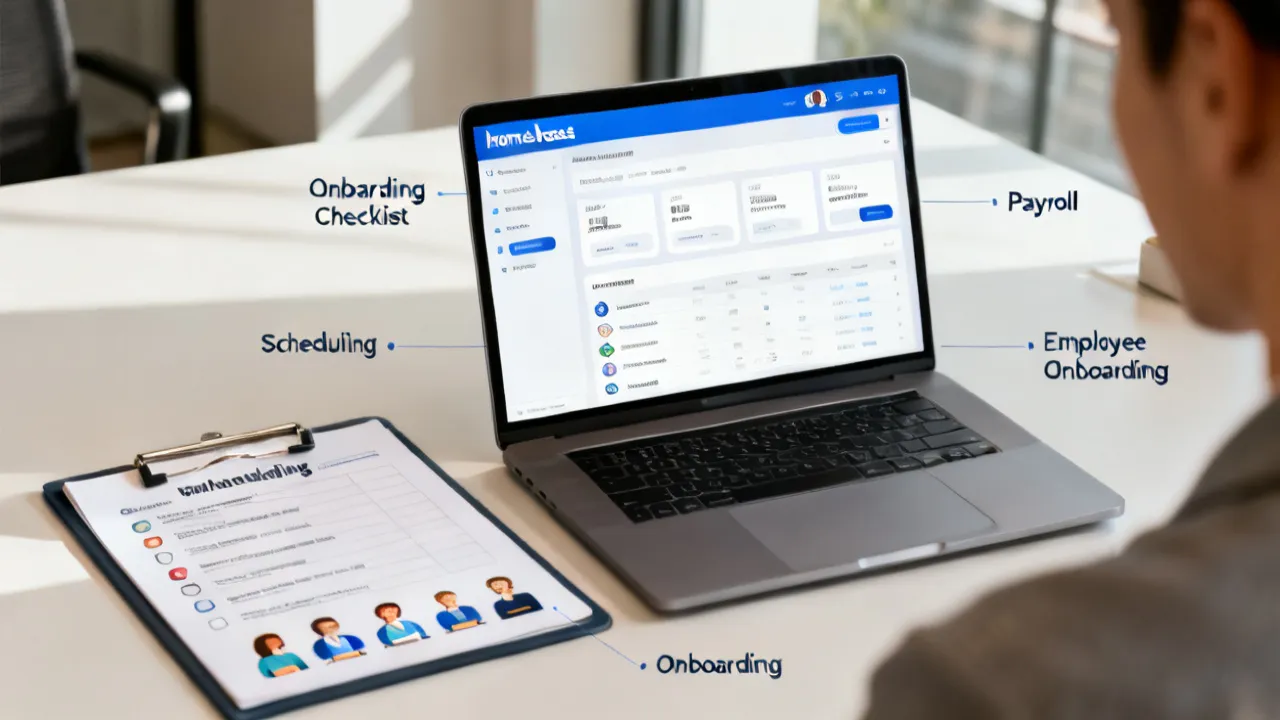
For many employers, the “hard part” of running a team isn’t finding software—it’s reducing mismatches between time worked, pay runs, and employee records. In day-to-day operations, the failure points are rarely dramatic. They’re usually small and repeatable: a missed clock-in that gets corrected after payroll is generated, an approval that arrives a few hours late, a pay-rate change that takes effect mid-week but is entered incorrectly or with the wrong effective date, or a schedule adjustment that doesn’t flow into the time record the payroll system uses.
When Homebase supports shift scheduling and timesheet collection, Gusto can take over payroll processing and payroll-related HR workflows. Used together, they can help you move from weekly time capture to accurate pay outcomes, with clearer audit trails and fewer manual handoffs. But the key phrase is “used together.” The pairing only delivers its best results when you design your timekeeping and approval procedures to match the way payroll is calculated and locked.
Below, you’ll find an industry-informed analysis of how Homebase and Gusto typically complement each other, what you should verify during setup, and what operational conditions determine whether the pairing works smoothly for your organization. This guide is written to help HR, operations, and finance teams align on the same process rather than assuming that integration alone will solve operational variability.
Homebase is widely recognized for workforce scheduling and time tracking capabilities. Teams use it to create schedules, manage availability, record hours, and organize day-to-day employee coordination. Its scheduling tools help employers set expectations for who works when, while its time tracking tools collect the actual hours worked. In operational terms, the value is not simply “having schedules,” but ensuring the system used for time capture matches how payroll decisions are made.
Gusto is commonly associated with payroll processing and payroll administration for businesses. Beyond paying employees, payroll platforms typically support tax filing workflows, paystub generation, direct deposit management, and administrative HR tasks—depending on the plan. For employers, this means the payroll system becomes the source of truth for pay calculations and compliant processing. Once payroll is generated, the outputs become hard to change, so the upstream time inputs and employee pay settings must be accurate.
Objectively, Homebase and Gusto can be evaluated as two halves of a payroll-adjacent workflow: one side produces time data and shift records; the other calculates and executes payroll outcomes. When those halves are configured and governed properly, the “distance” between time capture and pay execution shrinks—reducing manual steps and the chance for errors to slip through.
Very small and mid-sized employers care less about theoretical capability and more about repeatable execution. A practical way to view the pairing is to treat scheduling and timekeeping as upstream inputs, then treat payroll as the downstream process that must stay consistent with those inputs.
Where things get difficult is when an organization maintains “shadow time records” outside the scheduling tool—such as spreadsheets, manual timesheets in email threads, or informal manager adjustments without a formal approval trail. Even with good software, mismatches can occur if your approval steps and cutoffs are not clearly defined. Integration may automate the data flow, but it cannot automate business decisions like: “Who gets to approve edits?” and “What happens if the employee forgets to clock in?” Those decisions still require policy and training.
In most successful implementations, teams treat timekeeping as a controlled process. They define who may edit, when edits are allowed, how exceptions are documented, and how the final, approved hours become the basis for payroll. Then they configure the integration so that approved hours are what payroll consumes.
From an industry perspective, the very consequential decisions typically happen before day one of the integration. The questions you ask early determine whether your payroll inputs remain reliable across pay periods. Later changes are still possible, but they often require re-training managers, revisiting effective dates, and re-running test scenarios—so the best approach is to align on the operating model first.
Before you decide the pairing is “working,” you should verify how hours are:
If Homebase is used as the primary input, your approval workflow should be consistent with your payroll cutoff. A common operational goal is: all time should be finalized before the payroll run is generated. That “finalized” definition is crucial. It often means: not merely that employees entered their times, but that manager approvals occurred and any correction process finished.
In many workplaces, the biggest source of payroll variance is not employee error alone; it’s approval timing. If a manager routinely approves times after payroll is submitted, you may see recurring differences between scheduled labor and paid labor. Those differences might be corrected later, but late corrections can create administrative burden and sometimes employee confusion (especially if the correction impacts overtime or premium pay).
Payroll outcomes depend on the mapping between employee settings and payroll rules. Even if time entry is perfect, payroll can still be wrong if pay-rate assumptions or earning types are mismapped.
In very payroll ecosystems, you must ensure:
Because details vary by employer and jurisdiction, the top practice is to validate your first pay run with a “known hours” test case. For example:
This kind of validation is often more valuable than generic “it integrated successfully” checks. It tells you whether the integration produces the pay outcomes you expect given your real-world edge cases.
The integration value often collapses if cutoffs are misaligned. A schedule tool might allow changes until late, while payroll processing might begin earlier in the workflow. Even if employees worked exactly as intended, your payroll result could still be incorrect if the data you used to generate payroll didn’t reflect the final approved time.
Operationally, you want to define:
In practice, payroll processing timelines may be driven by how your finance team reconciles payroll with accounting and bank deposit schedules. Some teams need time to review payroll summaries, resolve exceptions, and confirm tax settings. Others need time for HR tasks like onboarding completions, termination processing, or benefit elections that affect deductions. Cutoff alignment should reflect those realities, not only the scheduling app’s internal deadlines.
Even without referencing legal advice, top practice in HR operations is to preserve an evidence trail. Employers typically benefit from having clear records of:
From an expert standpoint, the ability to produce an audit-friendly narrative matters during internal reviews, employee questions, and periodic compliance checks. Even if your organization never faces a formal audit, the internal “audit muscle” helps during end-of-month reconciliations and when employees dispute pay details.
To improve audit readiness, some organizations implement a “single lane” process: employees submit or clock time; managers approve through the same system; payroll locks based on the approved records. The more you keep time records and approvals inside the scheduling tool with a clear trail, the easier it is to explain pay outcomes and resolve disputes.
You mentioned price information, supplier details, and location-specific content, but no concrete numbers or named suppliers were provided in the prompt. Because pricing is subject to frequent updates and plan changes, the very objective approach is to recommend that you verify current plan pricing directly in the vendor’s current public materials before committing. If you share the exact plan tiers you’re considering (and your headcount and pay frequency), you can build a cost-logic comparison framework that matches how you actually operate.
That said, procurement teams commonly evaluate cost using the same structure:
Because the prompt didn’t provide specific price data, this section avoids unverified figures. The more important procurement point is to treat total cost of ownership as a function of operational load. A cheaper plan that increases manual reconciliation can end up costing more in labor time and payroll correction risk.
In many evaluations, “supplier fit” is less about brand preference and more about execution in your environment. Consider what your team already uses and where integration friction might occur.
Key ecosystem questions include:
If your finance team relies on frequent journal preparation tied to payroll outcomes, you’ll want predictable exports and consistent pay periods. You’ll also want to confirm the level of granularity you need in payroll reports—particularly if you separate labor by location, department, or job role for internal reporting.
No specific city or country was included in the provided keywords, so this guide avoids location-specific legal claims. Still, localization matters in practical terms. Employers often find that the “top fit” is the one that matches day-to-day employee behavior: whether employees are comfortable using mobile time clocks, whether managers can approve quickly, and whether your scheduling conventions align with the payroll calendar.
Localization also affects how employees perceive time capture. Some teams prefer schedule-based time (the system expects scheduled hours unless overridden). Others prefer time capture as the primary record (clock punches define worked hours, schedule is informational). Neither is universally better. The best fit depends on how your work actually happens: for example, retail or hospitality often has variable staffing needs and last-minute changes, so schedule is helpful but time capture must reflect reality.
In many workplaces, clarity beats complexity—clear cutoffs, clear approval roles, and clear reporting are what employees notice first. If employees understand when they must clock in, what happens if they forget, and where they can see their submitted hours, payroll disputes drop. And payroll disputes are often where companies feel the integration “didn’t work.”
The pairing of Homebase and Gusto tends to be strongest when your operational model matches how the tools are used in typical HR workflows.
Even strong tools can struggle if your HR and operations processes are still forming. Common friction points include:
Anticipation strategies include building checklists, running controlled test cycles, and creating a “known exceptions” scenario list before go-live. When teams do that, most issues appear during testing rather than during normal operations.
Because you asked for additional information to be presented as a comparison table, source notes, a step-by-step guide, and conditions/requirements, the following sections are provided as a supplement. (No external links are included in the table.)
| Evaluation Area | Homebase (Scheduling & Time Inputs) | Gusto (Payroll & Payroll-Adjacent HR) |
|---|---|---|
| Primary function | Shift planning, time capture, and timesheet workflows | Payroll processing, pay runs, and payroll administration workflows |
| Operational “source of truth” | Hours worked and schedule records (when properly configured) | Payroll calculations and pay execution (when properly configured) |
| Very common integration benefit | Time data flows into payroll without repetitive re-entry | Payroll run results reflect validated time records |
| Where accuracy is decided | Time capture, approvals, and exception handling | Pay settings, earnings mapping, and payroll run configuration |
| Typical admin friction | Approval delays or inconsistent edits | Payroll cutoff misalignment or misconfigured pay elements |
| Top-fit employer profile | Teams with frequent shift-based staffing needs | Employers prioritizing streamlined payroll operations and HR administration |
Note: Exact integration mechanics, supported workflows, and plan-specific capabilities depend on current vendor documentation and the plan you choose. Always confirm details with the vendors’ very recent materials and your implementation team.
This guide outlines a practical sequence commonly used by operations and HR teams to reduce errors. Adjust the steps to your organization’s size, policies, and jurisdictions. Think of this as a “process-first” approach: you design the operating model, then configure software to enforce it.
Establish the payroll schedule (weekly/biweekly/semi-monthly/monthly) and identify the timestamp when payroll becomes “locked.” Then set the latest time your managers can edit or approve hours for the pay period.
In a well-governed environment, you define multiple deadlines:
These deadlines should be published internally and repeated each pay period, especially during the first few months. Many companies underestimate how much time managers need to review hours and approve them consistently across employees and locations.
Decide whether employees clock in/out, submit timesheets, or both. Then define:
Standardization also includes clarifying the “reason codes” or notes you may need for corrections. Even if software allows free-form edits, a structured explanation helps later. It reduces misunderstandings when employees ask why a pay outcome changed.
Ensure employee records in your payroll system are accurate enough to calculate pay correctly. This includes pay rates and any relevant compensation configuration. In many deployments, small mismatches in pay rates or effective dates cause the majority of first-month payroll “surprises.”
Align these specific data points:
If you also use benefits or deductions, confirm whether any of those settings are tied to payroll runs. For example, deductions might require specific enrollment dates, and those dates can interact with pay periods.
Check that overtime or premium rules are configured according to your organizational policies and applicable regulations. If you rely on multiple roles with different pay rates, verify that the mapping follows your real-world staffing model.
Consistent mapping also requires you to think through how time entries translate into earnings types. Typical questions:
Even if you don’t use all advanced earning types initially, it’s worth mapping the categories you know you will need in the next quarter. That prevents repeated configuration changes that can confuse HR and managers.
Use a small group of employees and a short test window. Validate that:
Document what you changed during the test and what you observed—then refine your cutoff schedule accordingly. A “test record” of configuration decisions can be extremely valuable later, especially when new HR staff join the team or when you revisit policies.
Some teams also schedule a “dry run” where they generate payroll without executing payment (if the platform offers such a mode). The goal is to confirm outputs without causing real pay impacts.
Training should focus less on software navigation and more on operating behaviors: “Approve by X time” and “Report exceptions by Y time.” In labor-heavy workflows, procedural clarity reduces mistakes more than additional features.
Effective training typically includes:
Also consider training employees on how to use the time capture tools. Employee behavior matters: if employees don’t understand when to clock in/out, the system will capture inaccuracies that may require manager edits. Manager edits can be correct, but edits increase the need for approvals and can raise reconciliation workload.
For the first 1–2 payroll cycles, monitor for time entry anomalies and payroll discrepancies. A short monitoring window is often where teams uncover configuration gaps—before they become habitual.
Monitoring should include both operational and output checks:
When anomalies appear, resolve the root cause rather than only correcting the symptom. For example, if late punch corrections happen every pay period, it’s often a training issue or a process design issue (such as unclear instructions on how to correct missed punches).
After launch, build a lightweight monthly review: check adjustment frequency, recurring exceptions, and employee feedback on scheduling clarity. Over time, you’ll improve the system and reduce manual corrections.
Continuous improvement can follow a simple rhythm:
It’s also helpful to maintain a “change log” whenever you modify configuration, especially around timekeeping approvals or pay rate mappings. Change logs create institutional memory and help you troubleshoot when issues appear later.
The pairing of Homebase and Gusto tends to succeed when these conditions are met:
Additionally, successful organizations treat the system as part of a governance framework—not just a tool. Governance includes: accountability for time approvals, a schedule for operational review, and consistent internal communications.
As organizations modernize HR operations, the biggest governance question is usually: “What happens when something doesn’t match?” Payroll systems are highly sensitive to time inputs; scheduling systems are sensitive to real-world variability. Expert teams address this through governance, not just software settings.
Three practical risk mitigations often used:
Risk management also includes having a defined procedure for corrections after payroll runs. Even with cutoffs, you may need to correct errors. The key is to define how to correct—what system to update, how to document the reason, and how to communicate changes to employees. The more transparent and consistent the correction process, the less operational stress you’ll see later.
For example, if an employee reports a missed clock-in after payroll is locked, your policy might specify:
Defining these “post-cutoff” rules in advance prevents ad-hoc decisions and reduces the risk of inconsistent outcomes across departments or locations.
In many setups, yes—if you configure time capture and approvals properly and ensure your payroll system consumes the finalized hours. The key is consistency: employees and managers must follow the same process each pay period, and you must eliminate or clearly reconcile spreadsheet “shadow records.” If you keep spreadsheets as a parallel system, you’ll reintroduce mismatches.
Validate that hours captured in Homebase are the hours used in Gusto payroll, that pay rates and effective dates are correct, and that overtime/premium rules (if applicable) match your documented policies. Additionally, validate that approvals and edits occurred before cutoff and that payroll uses the approved time entry values rather than unapproved drafts.
Cutoffs determine when time becomes “payroll-ready.” If schedules or time corrections are made after payroll input processing begins, discrepancies can occur. A disciplined cutoff schedule helps keep time and pay aligned, especially for overtime calculations and any earnings categories that depend on time entry classification.
They can, but success depends on how you structure roles, permissions, and approval workflows. Multi-location environments often require careful governance so that managers only edit what they’re authorized to change. You may also need consistent location-based pay rules or reporting structures to avoid misclassification of hours.
No software can guarantee compliance by itself. Compliance depends on correct configuration, appropriate recordkeeping, timely filings where applicable, and adherence to wage-and-hour and payroll tax obligations. Use vendor documentation and professional guidance when needed.
Frequent edits often signal either a training gap, unclear policies, or mismatched workflows (for example, schedule changes not communicated or clocking behavior inconsistent). Consider tightening approvals and clarifying procedures. You can also analyze which types of edits occur most and create targeted training or process improvements for those scenarios.
Many employers do. A staged approach can reduce risk: you first standardize schedules and time capture, then validate payroll configuration using a controlled transition period. In this approach, you still need to be careful about cutoffs and employee time behaviors, because even in a scheduling-only phase, operational habits can carry into payroll later.
Compare total cost of ownership rather than only monthly fees—include implementation effort, number of employees, payroll frequency, and any plan features required for scheduling, approvals, reporting, and payroll administration. Confirm current pricing because vendor plans change over time. Also consider internal labor costs: if the pairing reduces manual time edits, that operational savings should factor into your evaluation.
Common mistakes include incorrect pay rate effective dates, misconfigured overtime/premium settings, unclear approval ownership, and cutoffs that are unrealistic for managers’ available time. Another frequent issue is incomplete employee onboarding—employees start working before their payroll settings are fully activated, resulting in payroll exceptions.
Define a policy for schedule changes and align it with your time correction workflow. For example, you might require that managers submit a schedule swap request before a certain time; if a change is made later, it must be handled through a documented time correction process. The goal is to ensure the approved hours reflect the real schedule decision and are traceable.
The combined value of Homebase and Gusto typically appears when your organization treats scheduling and time tracking as the upstream inputs to payroll, and when your teams enforce cutoffs, approvals, and clean employee data. Instead of relying on last-minute fixes, the goal is a predictable workflow: shifts are planned, time is captured, approvals are completed, and payroll runs accurately reflect what employees worked.
However, integration is not merely a technical bridge—it’s an operational contract. Success depends on governance: who approves what, when it’s approved, how exceptions are handled, and how post-cutoff corrections are processed. When those elements are clear, the pairing helps reduce mismatches between time worked and pay outcomes.
If you share your team size, payroll cadence, and the specific workflows you need (e.g., clock-in/out versus timesheets, manager approval roles, and any special pay elements), you can request a tailored evaluation checklist aligned to your setup—focused on accuracy, governance, and smooth onboarding.
Striking the Perfect Balance: Navigating Premiums and Out-of-Pocket Expenses in Senior Insurance Plans

Explore the Tranquil Bliss of Idyllic Rural Retreats

How to Make Lasting Memories at Disneyland Attractions

4rkojvsx Technology: Industry Insights and Buying Guide

Affordable Phones and Plans for Seniors

Affordable Full Mouth Dental Implants Near You

Unlock the Top Kept Secrets to Finding Your Ideal Dentist for Flawless Dental Implant Results!

Discovering Springdale Estates

Unveiling RS Sul Telecom Services


Smart Strategies to Slash Costs on Your Roof Replacement Endeavor
Opening Remarks: Smart budgeting doesn't mean cutting corners on quality. This guide will delve into cost-effective approaches for roof replacement that maintain high standards.

Unlocking the Secrets of Preschool: Your Ultimate Guide to Early Childhood Education Programs
The significance of early childhood education programs is paramount in shaping the foundational stages of a young child's life. These educational experiences aim to furnish children with a diverse skill set before they face the structured environment of elementary education. Such programs offer a dynamic and engaging atmosphere where children's natural curiosity leads to the broadening of their thought processes. Moreover, they focus on rectifying behavioral patterns and fostering positive principles and routines.

Enhance Your Smile: Essential Gum Care Tips After Teeth Replacement
After getting new dental implants, it's crucial to look after your gums to aid recovery, shield against infection, and enhance the durability and function of the implants. This discussion delves into the key methods and top tips for gum care that are vital to keep your gums robust and healthy after your procedure.

Unlock the Secrets to Championing Fair Pay: A Guide to Fighting for Competitive Nurse Salaries at Your Hospital
To effectively navigate the intricacies of nurse compensation in healthcare institutions, a thorough understanding goes beyond the basics. Strategic advocacy is essential, honoring nursing as a critical profession while also deeply comprehending the economic aspects of healthcare. This article lays out systematic methods to advocate for fair remuneration for nurses, aimed at closing the divide between managerial policies and the realities nurses face daily.

Protect Your Golden Nest Egg: Smart Strategies and Essential Precautions for Securing Your Gold Investments
Investing in gold requires more than just purchase; diligent protection and a strategic mindset are crucial. A secure gold investment is built on thoughtful planning, alert risk management, and the capacity to adapt to changes. We'll explore various ways to protect these investments from the diverse challenges they face.

Unlock Higher Earnings: Master the Art of Leveraging Your Nursing Expertise for a Hefty Pay Raise!
Unraveling the complexity of the payment landscape in nursing isn't for the faint-hearted, yet it's a manageable task with a strategy in place, enhancing one’s prospects for improved salary through skill and knowledge. This delicate dance of upholding patient care while seeking just rewards is a path all nurses must walk. Grasping the elaborate character of the nursing role and what propels one's income forward is crucial. Within this paper, we dissect insightful methods to maximize the impact of your nursing qualifications.
